
Features
listn studio features
Listn Studio records, edits, mixes and masters music on Windows and Mac. Here is what is inside.
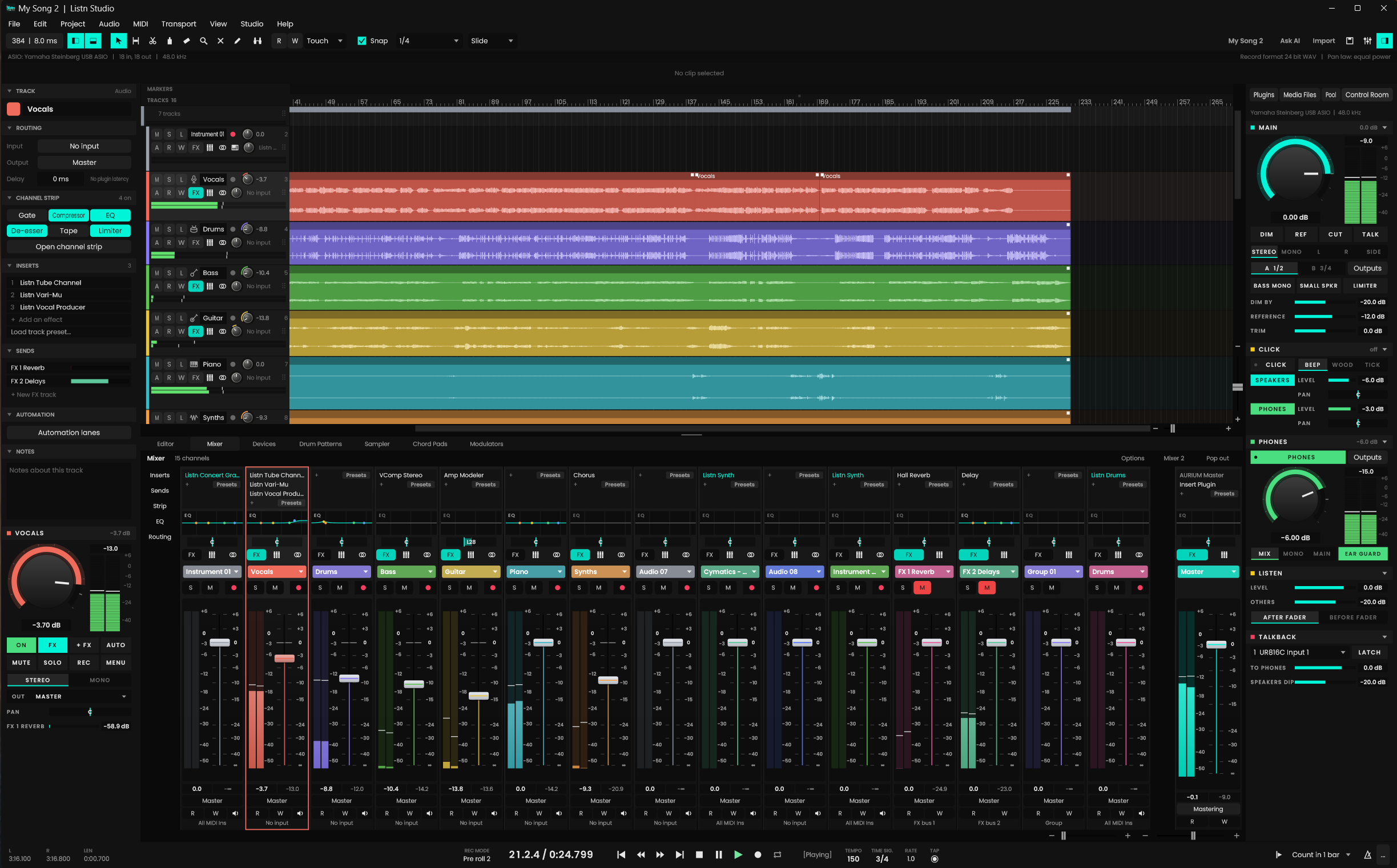
AURIUM mastering
A mastering console on the master out.
Input, a ten band EQ with a spectrogram, dynamics with five saturation modes, tone, stereo and an output limiter that never clips. Normalize to a loudness target, match the gain, compare four snapshots and let the mix check tell you what is off.
- Loudness targets for every service
- Four snapshots, A to D
- A mix check that names the problem
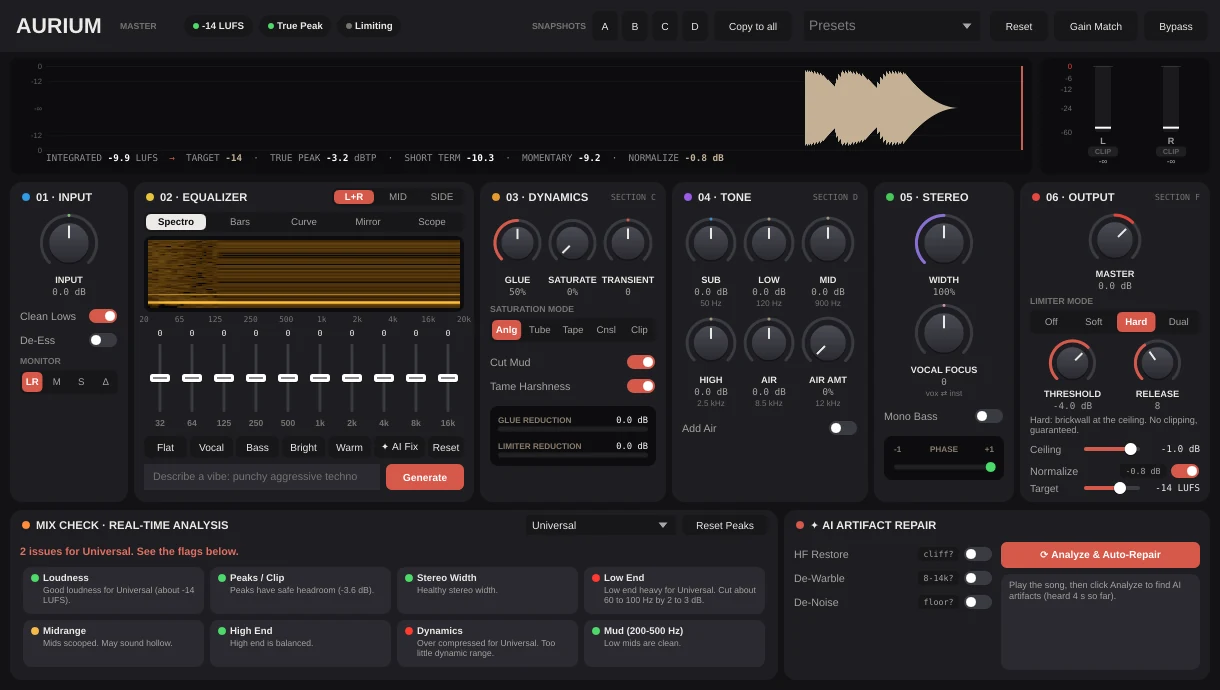
AIRUS
Repair what the AI got wrong.
AIRUS scans a clip for shimmer, aliasing, warble and harsh highs, then repairs it in six stages. Hear the raw, the repaired or only what it took out, write it to the clips and take it off again with undo.
- Presets for Suno, Udio and codecs
- Raw, repaired and artifact listening
- Written to the track, undone in one step
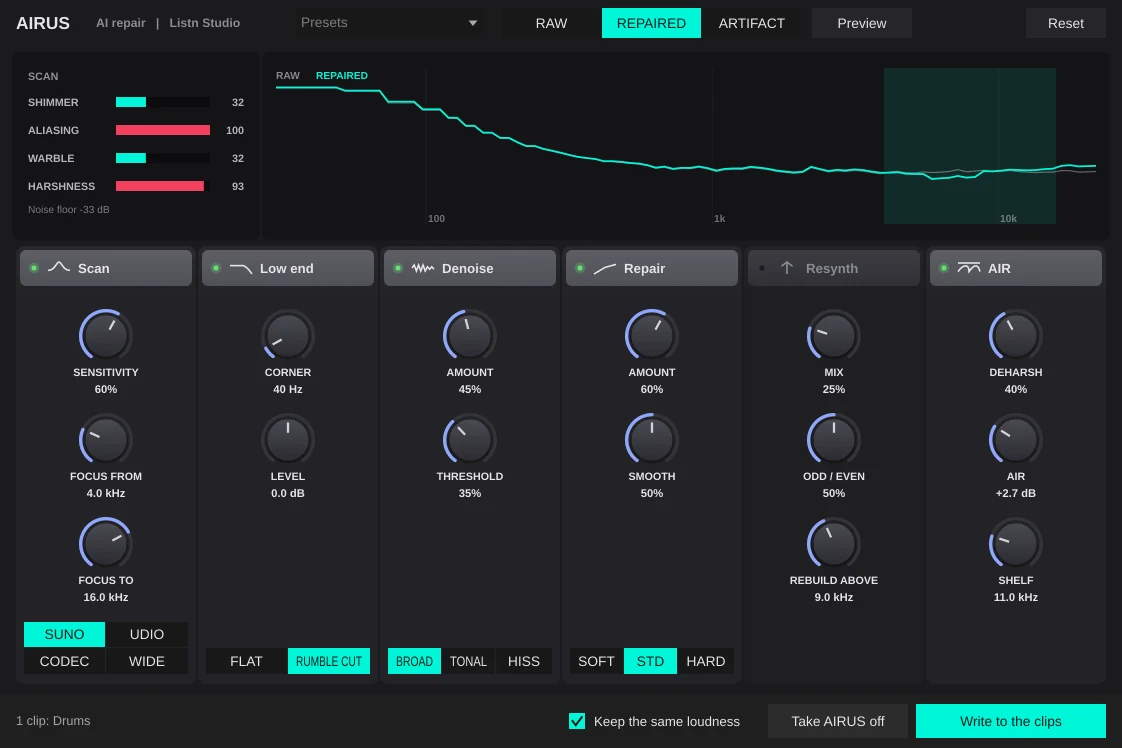
Surround and Dolby Atmos
Surround your Sound
A project can now be Stereo, 5.1, 7.1 or 7.1.4. In surround, every track, group, FX track and the master carries all of the format's channels, and your speakers play them.
- Real surround projects
- Surround exports
- Live send to the Dolby Atmos Renderer.
- 3D Renderer window
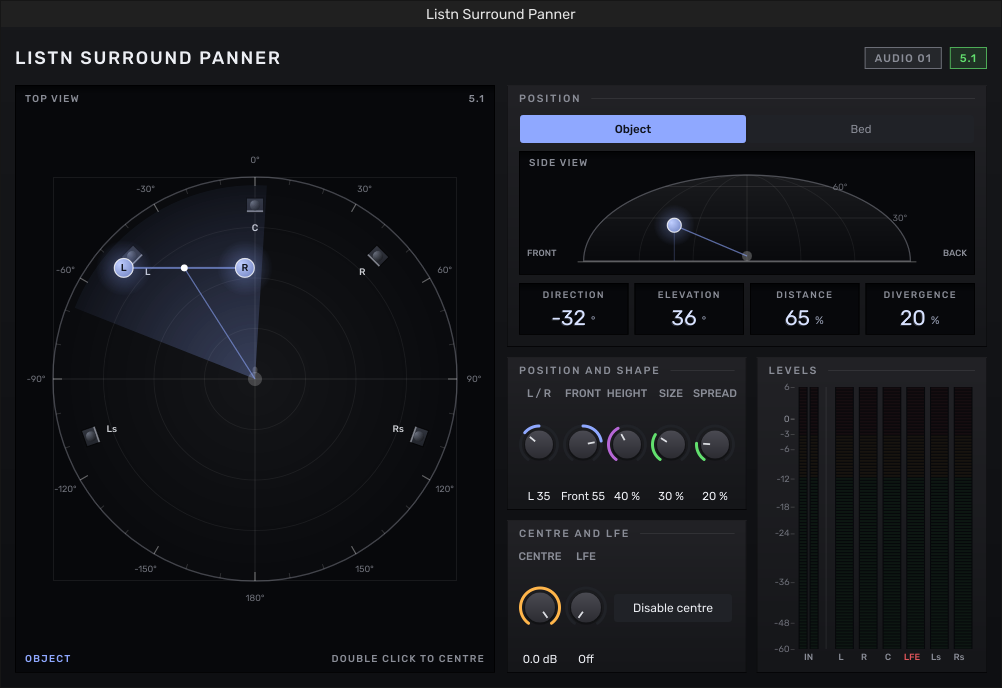
- Listn Surround Panner
Listn Pitch
Fix the note. Keep the take.
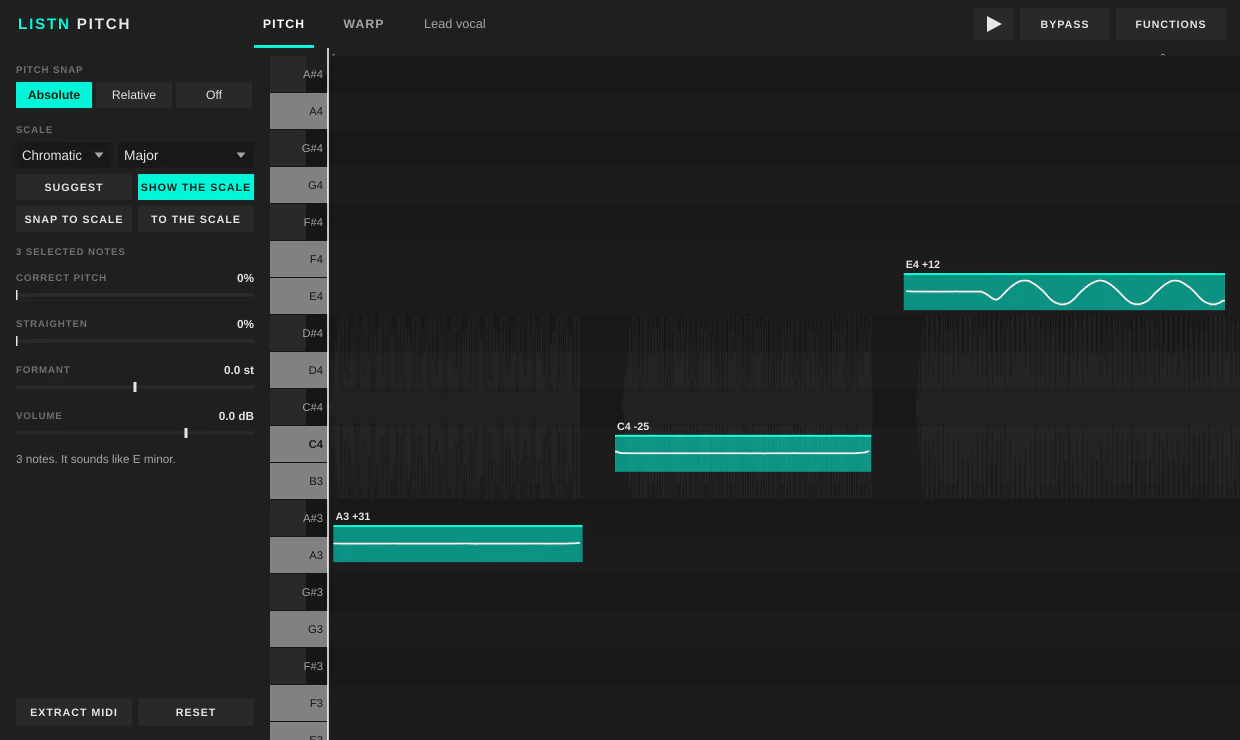
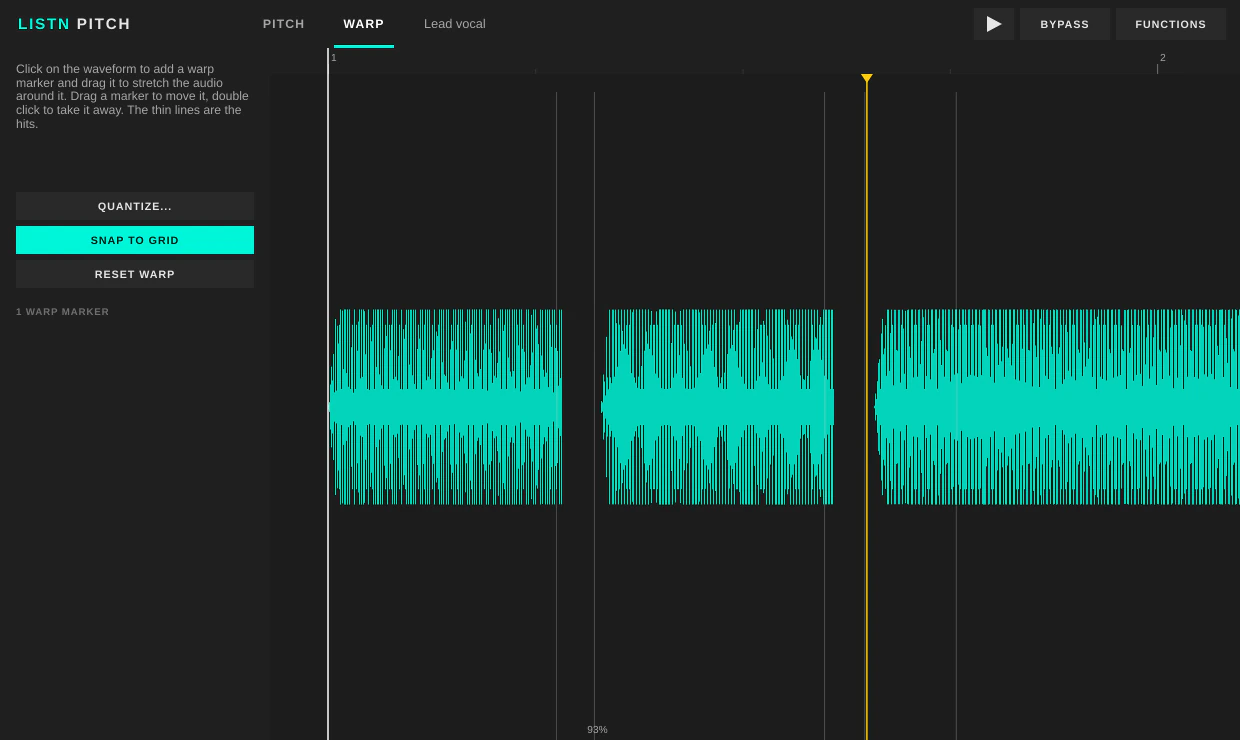
Note by note pitch and timing for a vocal or an instrument. Drag notes, straighten wobble, move formants and snap to a scale.
- Snap to a scale
- Move formants
- Pull MIDI out of a performance
Audio quantize
Tight drums, still in phase.
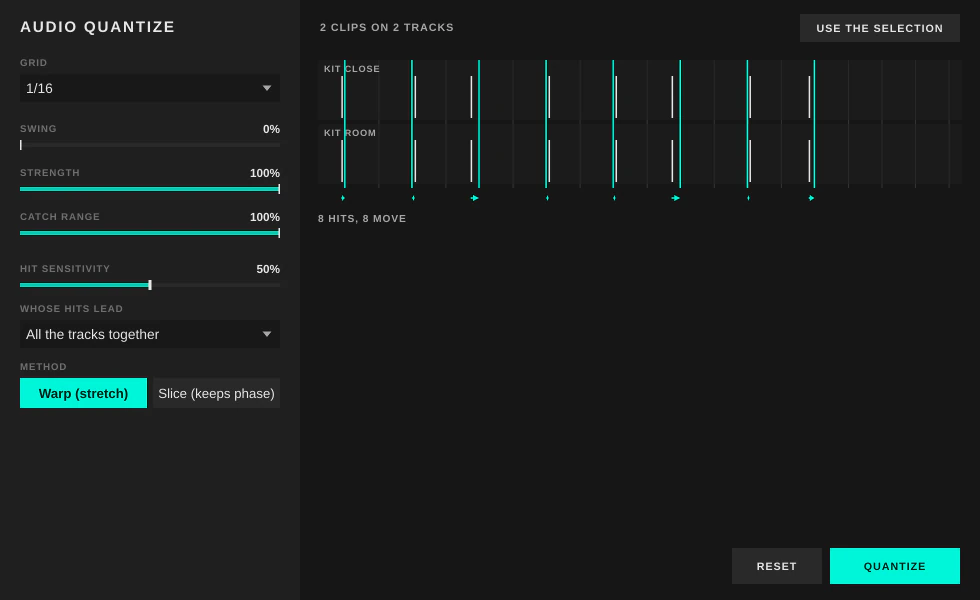
Move the hits of one track or a whole drum kit to the grid. Warp or slice, with swing and strength, and every track stays in phase.
- One track or the whole kit
- Warp or slice
- Swing and strength
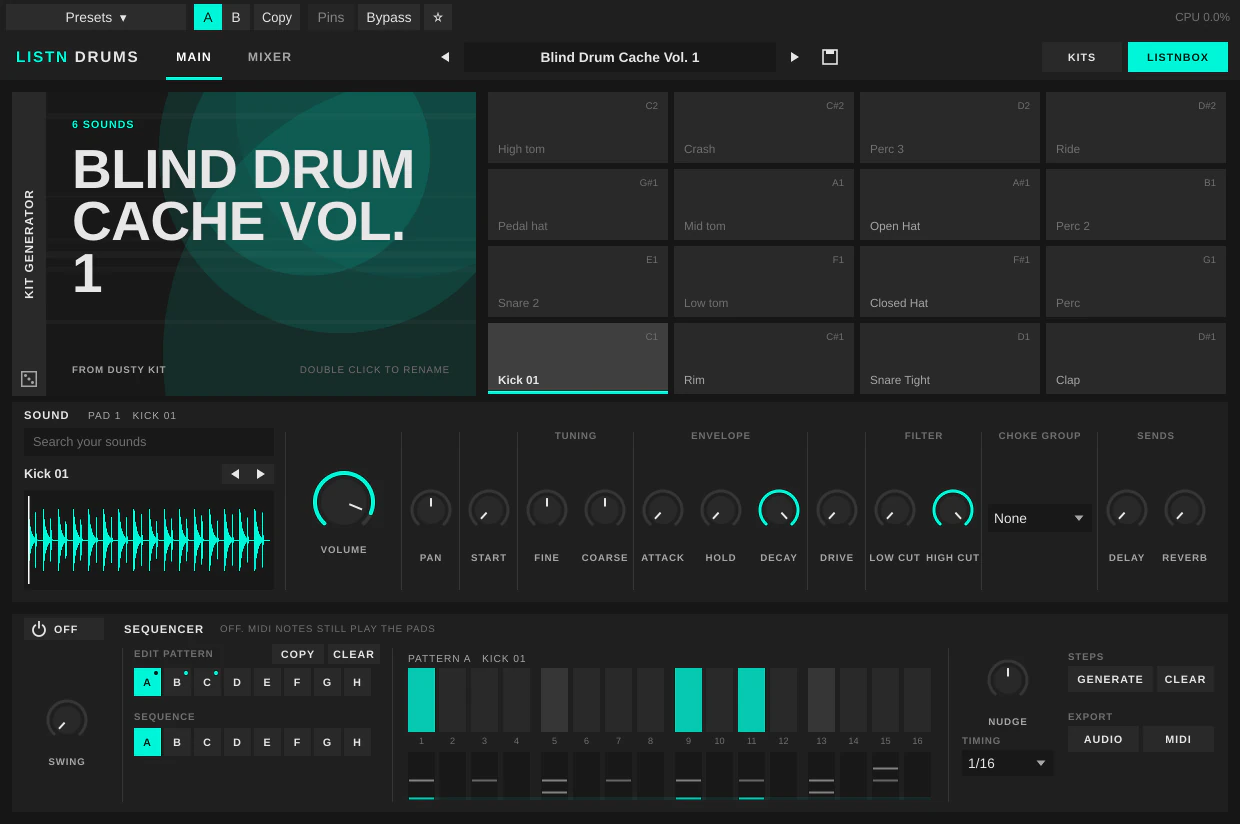
Listn Drums
Sixteen pads and a sequencer.
A 16 pad drum machine with a sequencer, a kit generator, per pad sound shaping and its own mixer with delay and reverb.
- Kit generator
- Sound shaping on every pad
- Its own mixer, delay and reverb
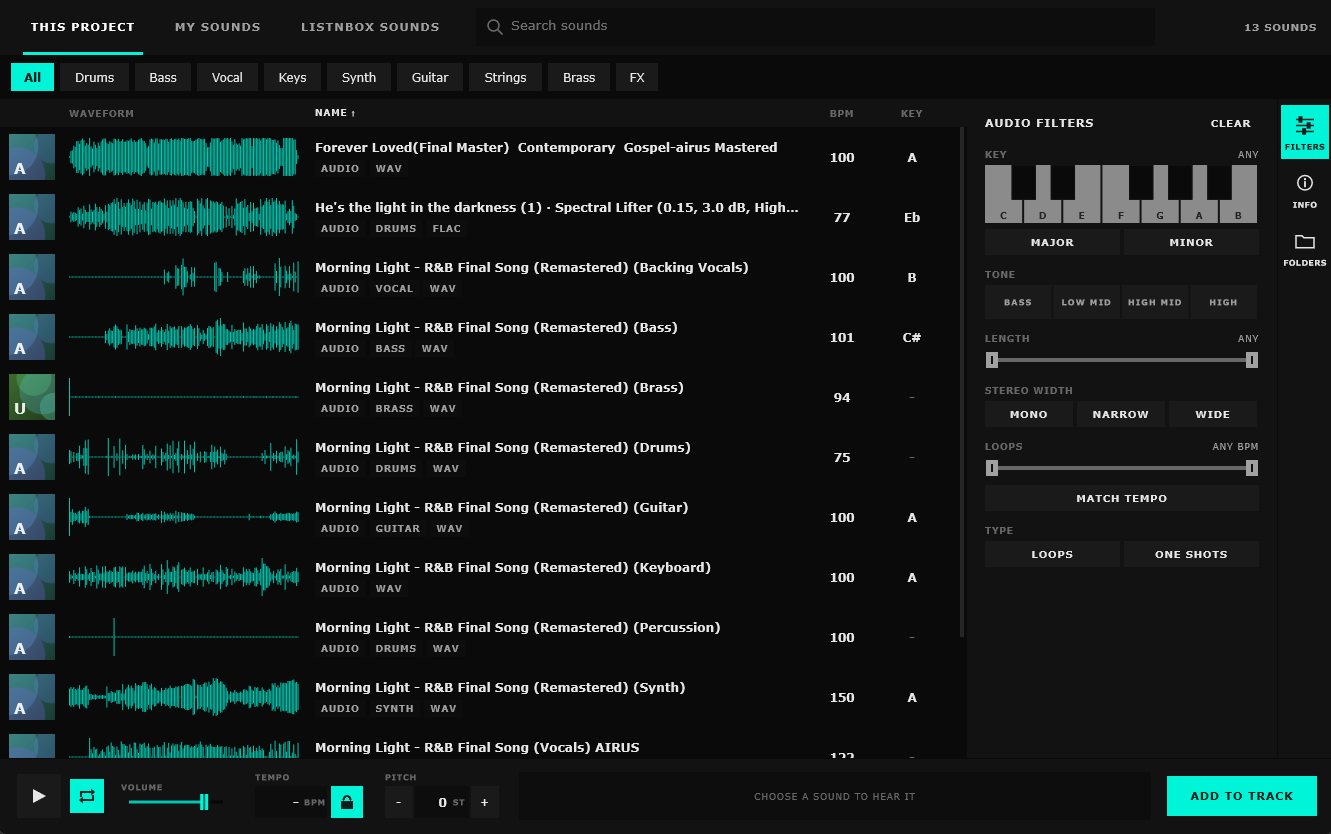
The Pool
Find the sound before the idea goes.
A sound browser for your own sample folders, with key, tempo and tone filters, and loops that play at the project tempo. Listnbox sounds are in there too.
- Key, tempo and tone filters
- Loops at the project tempo
- Listnbox sounds
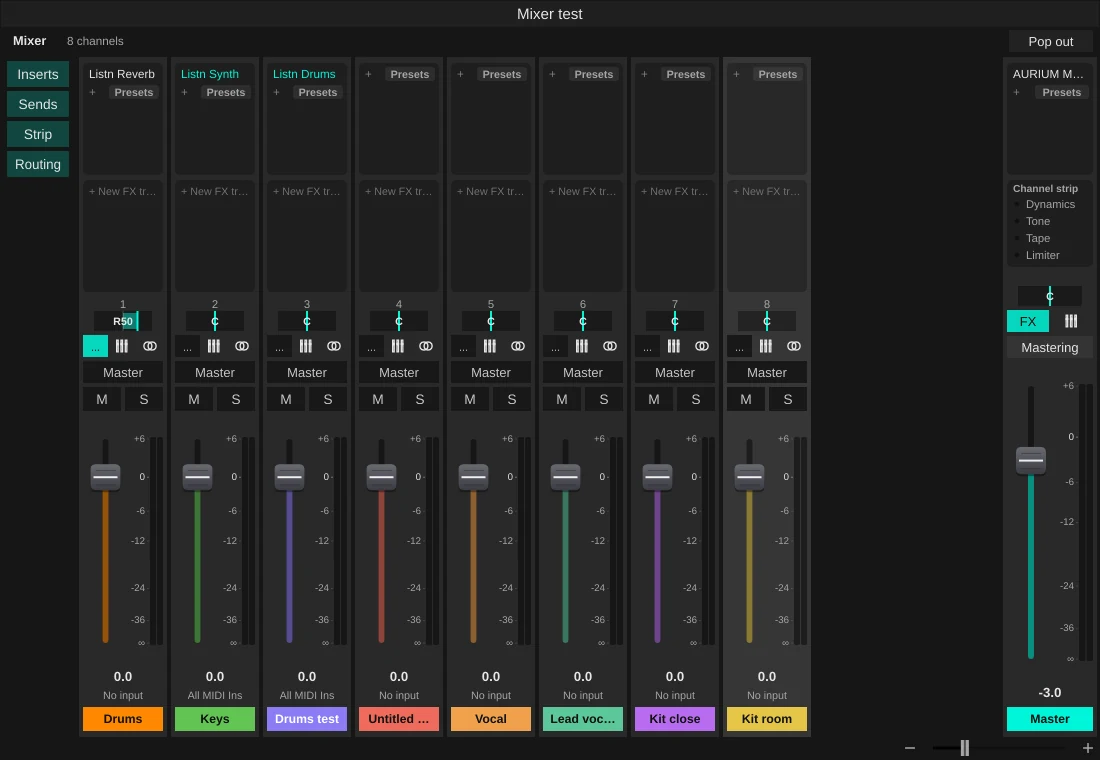
A real mixer
A mixer built for the whole record.
Channel strips with Gate, Compressor, EQ, De-esser, Tape and Limiter, link groups, VCA faders, foldback mixes and a meter bridge. Pan like Cubase, keep the faders tall when the mixer is short, and hide the inserts, sends or strip from the side.
- Presets that load into the inserts
- Link groups and VCA faders
- Show or hide each part of the strip
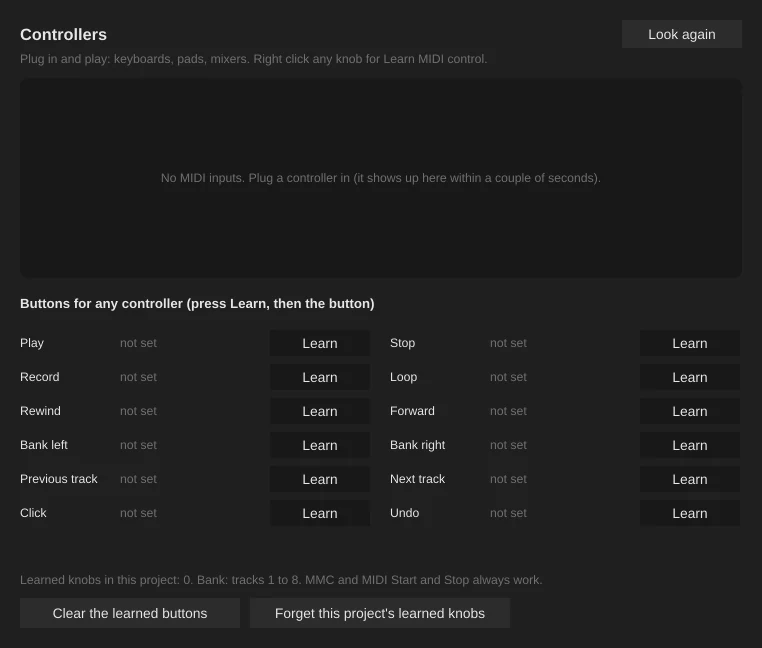
Controllers
Plug in and play.
Keyboards, pads and mixers are found as soon as you plug them in. Right click any knob or fader to learn a MIDI control, and learn the transport buttons of any controller in one window.
- Learn any knob or fader
- Transport buttons from any controller
- MMC and MIDI start and stop
Live sessions
Let them hear it now, not after the bounce.
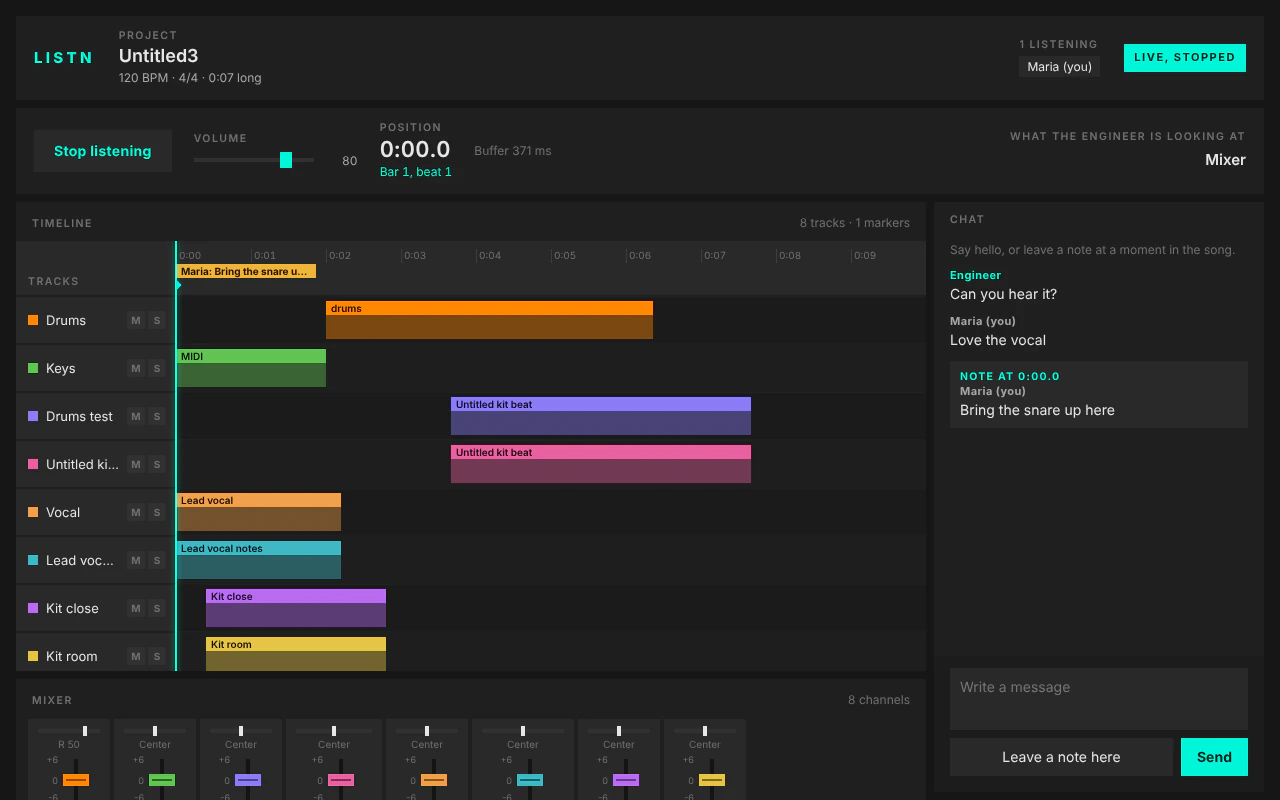
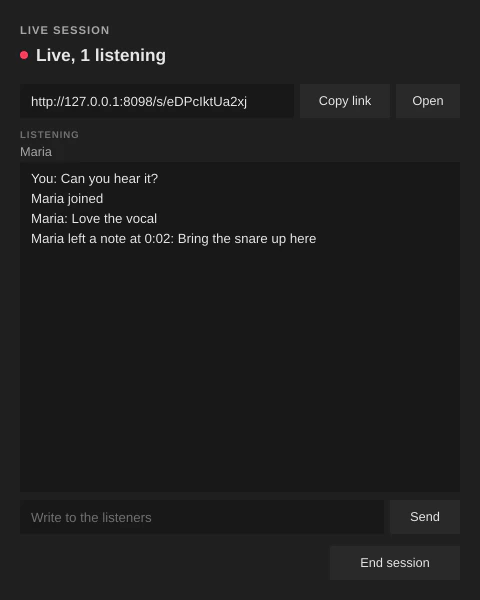
Start a session and send the link. Your artist opens it in Chrome, Edge, Firefox or Safari and hears your mix as you work: the tracks, the playhead, the fader moves. They chat with you and leave notes at a moment in the song, which land as markers in your project.
- Nothing to install for listeners
- Chat both ways
- Notes land as markers
Send to Listn
From the DAW to the world.
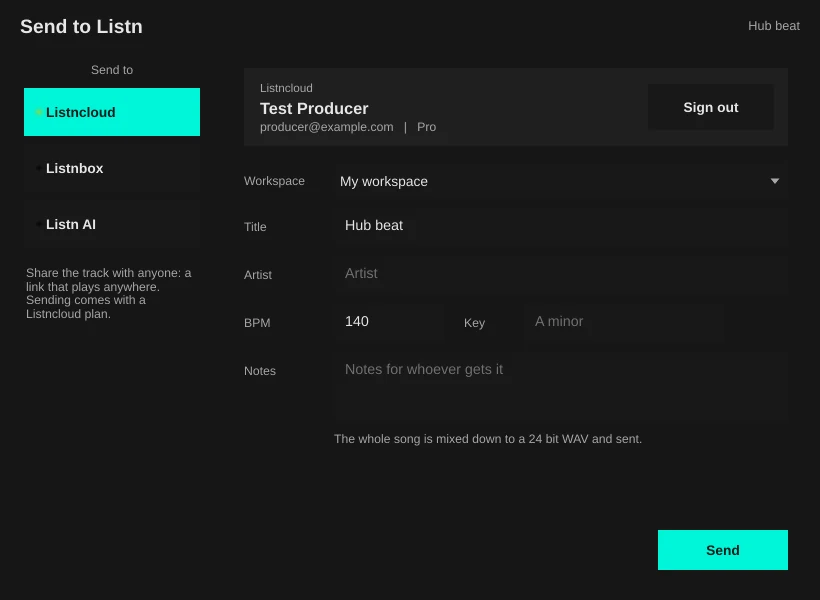
Send a mix to Listncloud to share it, start a release on Listnbox, or put it out through Music Label Group distribution. Already signed in on the site? One click to allow and you are connected.
- Listncloud and Listnbox in one click
- The whole song mixed down and sent
- Music Label Group distribution
Export and loudness
Hit the number for every service.
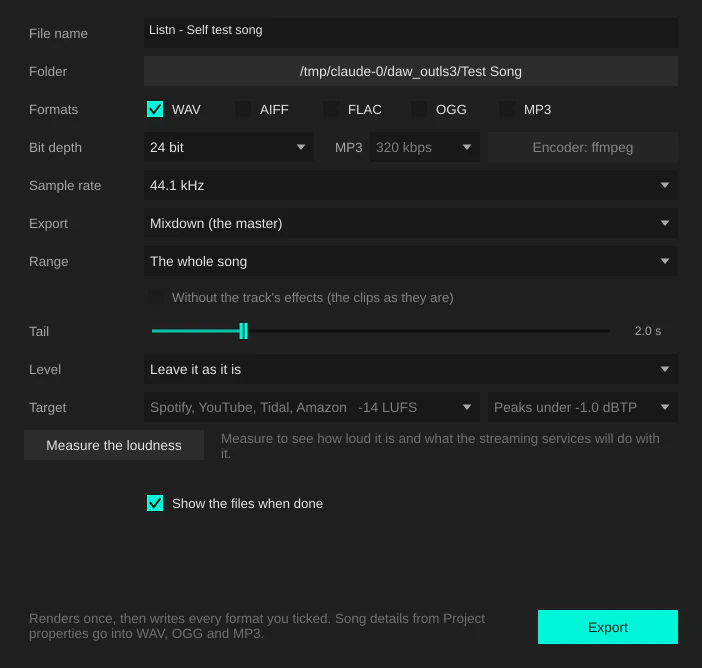
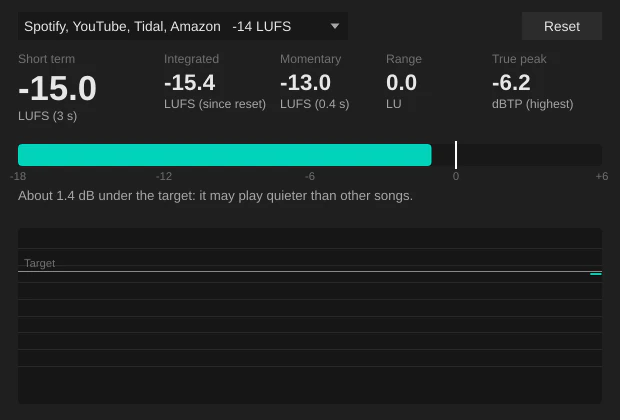
WAV, AIFF, FLAC, OGG and MP3 in one pass, with loudness targets in LUFS and a true peak ceiling. A spectrum analyser and a loudness meter show you where the master sits.
- Five formats in one pass
- Targets for Spotify, YouTube, Apple Music and broadcast
- Song details written into the files
Made for the whole session.
More in the box.
Ask AI
Claude, ChatGPT or Gemini right in the DAW, for music questions, mix advice and lyric ideas. It knows your tempo, key and tracks.
Presets into the inserts
Vocal, drum, bass and master chains that load straight into a channel. Save your own from any channel.
Listn AI
Generate, cover, repaint and complete ideas on your own graphics card, with an estimate before you start.
Fast editing
Clip gain envelopes, stretch and pitch by dragging, transient splits, sync points, layering and combined clips.
Projects from other DAWs
Open DAWproject files from Cubase, Nuendo, Studio One and Bitwig, Reaper projects and Ableton Live sets.
Recent work
File, Recent projects and Recent sessions take you back to what you worked on, and the latency is the first button under File.
The parts you will use every day.
Recording and editing
- Record in WAV or FLAC at 16, 24 or 32 bit float, with input monitoring
- Clip properties, gain envelopes, polarity, fades, pitch and speed per clip
- Split at every hit, jump between transients, line up sync points
- Range, CD and section markers, with a CUE sheet for burning a CD
- ASIO on Windows, Core Audio on Mac
Mixing
- Channel strip with Gate, Compressor, EQ, De-esser, Tape and Limiter
- Cubase style pan, and faders that keep their height when the mixer is short
- Show or hide the inserts, sends, strip and routing from the side
- Link groups, VCA faders on folder tracks, exclusive solo
- Freeze tracks and bounce in place, with one undo to bring it back
Finishing
- AURIUM on the master: normalize, gain match, snapshots and a mix check
- Export to five formats at once, dithered at 16 bit
- Loudness targets for Spotify, YouTube, Apple Music and broadcast
- Song details written into WAV, OGG and MP3 files
Working together
- Live sessions: listeners hear the mix in a browser, nothing to install
- They see the tracks, the playhead, mutes, solos and fader moves
- Chat both ways, and notes pinned to a moment land as markers in your project
- Send to Listncloud or Listnbox, signed in with one click
Controllers
- Keyboards, pads and mixers work when you plug them in
- Right click any knob or fader to learn a MIDI control
- Learn play, stop, record, loop and the other transport buttons
- MMC and MIDI start and stop always work
Plugins, drivers and projects it works with
- VST3
- AU
- ASIO
- Core Audio
- DAWproject
- Cubase
- Studio One
- Bitwig
- Reaper
- Ableton Live