Instruments · Sampler
Listn Sampler
Drop. Map. Play.
Drop in sounds, map them across the keys, or slice a loop.
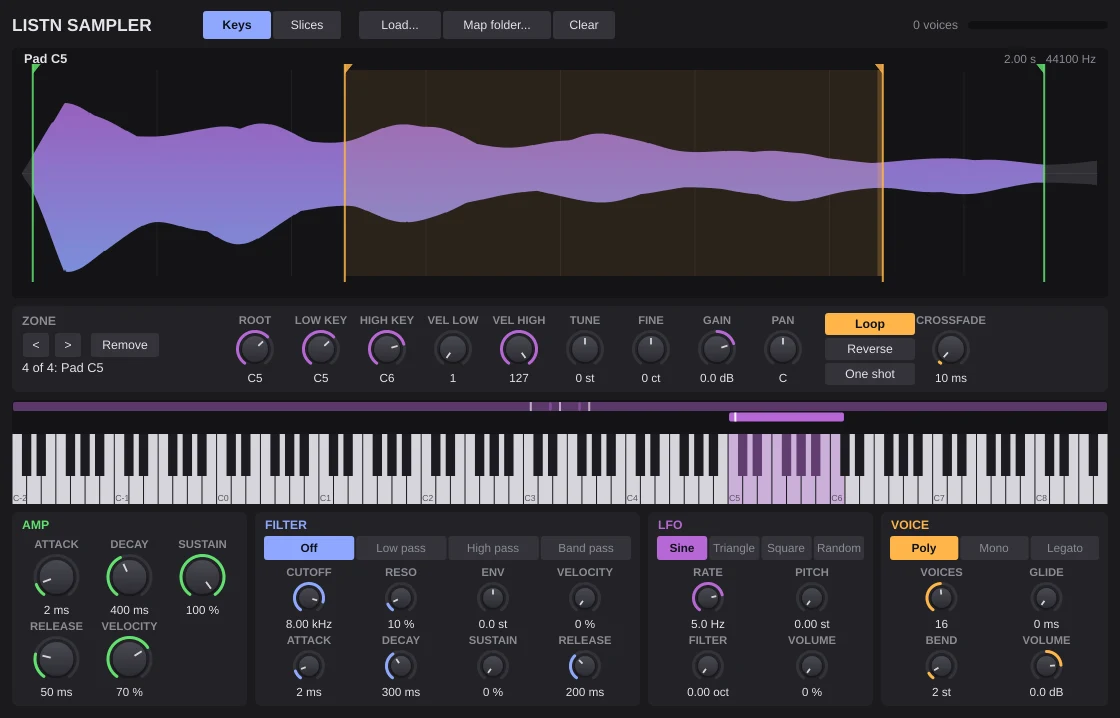
Drag sounds onto the keys, set root, key and velocity ranges, loop with a crossfade, reverse, one shot or gate. Slice a loop by its hits or into equal parts, one slice per key, and export a MIDI clip that plays them in order. Filter, envelopes, LFO and glide included.
- Zones with key and velocity ranges
- Loops with crossfade
- Slices by hits, with MIDI export
- Filter, envelopes, LFO and glide
Slices
Chop a loop across the keys.
Slice by the hits or into equal parts, one slice per key, then export a MIDI clip that plays them back in order.
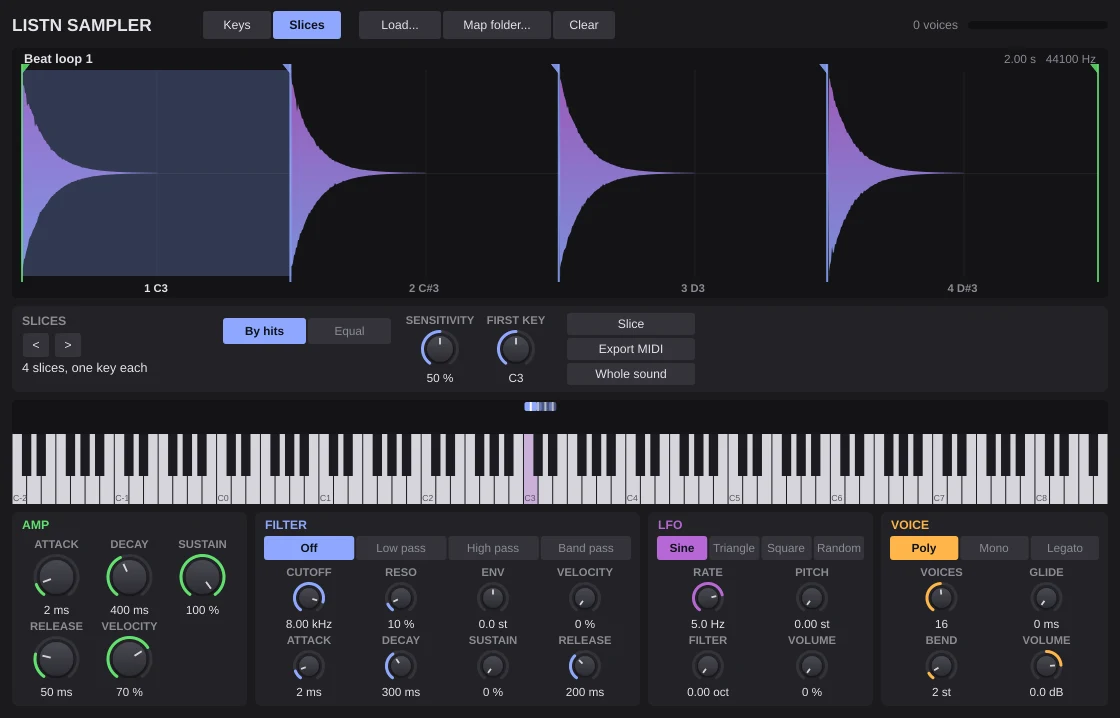
- Slices by hits or equal parts
- MIDI export of the order
Zones
Every sound in its place.
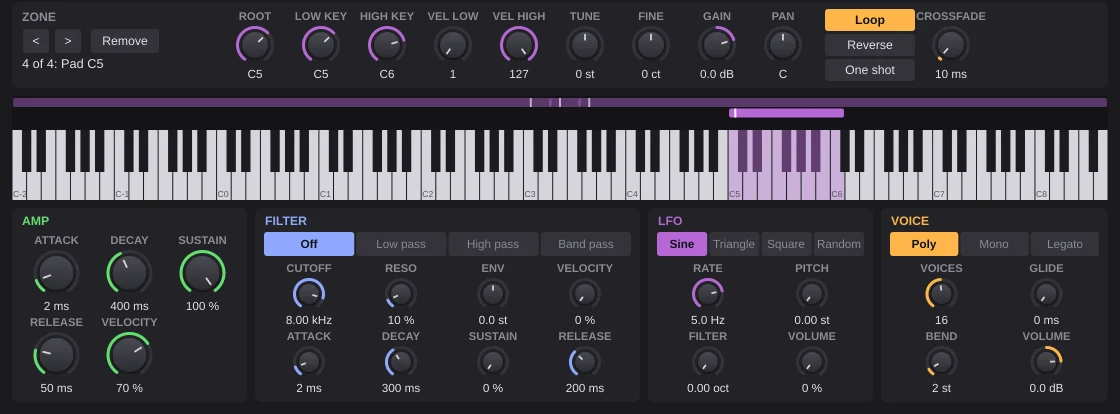
The keyboard shows each zone as a bar you can drag, with root key, key range and velocity range.
- Root, key and velocity ranges
- Drag to move a zone
What you need
Windows
- Operating system
- Windows 10 or 11, 64 bit
- Processor
- Intel or AMD, 64 bit
- Memory
- 8 GB, 16 GB for big projects
- Audio
- ASIO or Windows audio
- Plugins
- The Listn plugins, plus your VST3
macOS
- Operating system
- A recent macOS
- Processor
- Apple silicon or Intel
- Memory
- 8 GB, 16 GB for big projects
- Audio
- Core Audio
- Plugins
- The Listn plugins, plus your VST3 and AU
Comes with Listn Studio
Put it onyour track.
Download Listn Studio, open the mixer and it is in the insert list. Every module and every setting, nothing extra to unlock.
- 1
Download
Get Listn Studio for Windows or Mac and sign in.
- 2
Open the mixer
Press + in an insert slot and pick it under Listn effects.
- 3
Make it yours
Save your settings as a preset and learn its knobs on your controller.
Listn Studio
Full license, every plugin
- Every Listn plugin, the ones coming too
- Windows and Mac on your own computers
- Your VST3 and AU plugins beside them
- MIDI learn on every knob
- Updates to this version
Instruments
Also in the bundle
Listn Drums Drum machine Listn Synth Synthesizer Seroma Wavetable synthQuestions
Before you ask.
Do I pay for the plugins?
No. Every Listn plugin comes with Listn Studio, and the ones still coming arrive as free updates to this version.
Do they work in other DAWs?
The Listn plugins run inside Listn Studio. Your own VST3 and AU plugins run beside them.
Can I control them from a MIDI controller?
Yes. Right click any knob and choose Learn, then move a control on your keyboard, pads or mixer.
How many computers?
Your license works on your own computers, Windows and Mac.
Where do I get help?
Write to us from the Contact page, or use Help, Report a bug or an idea in Listn Studio.