
Vocal · Vocal clarity and de-noise
Listn Clarity
Less room. More voice.
Takes the room and the noise off a vocal and brings it forward.
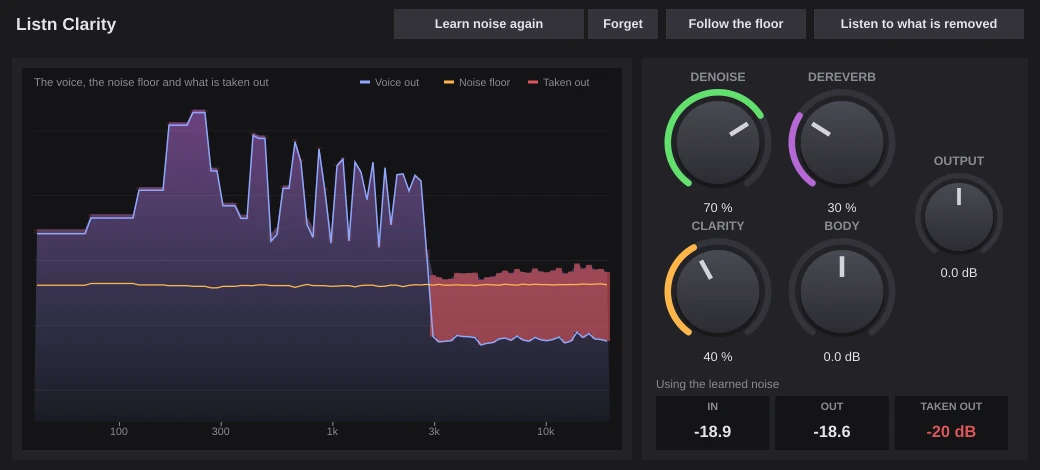
Press Learn noise during a moment of room tone, then turn up Denoise. Dereverb shortens the room, Clarity lifts the presence and Body puts back the warmth. Listen to what is removed to hear exactly what it takes out.
- Learn the noise, or follow the floor
- Denoise and dereverb
- Clarity and body
- Listen to what is removed
The picture
See what it takes out.
The voice going out, the noise floor it learned, and in red what it is taking away, all on one spectrum.
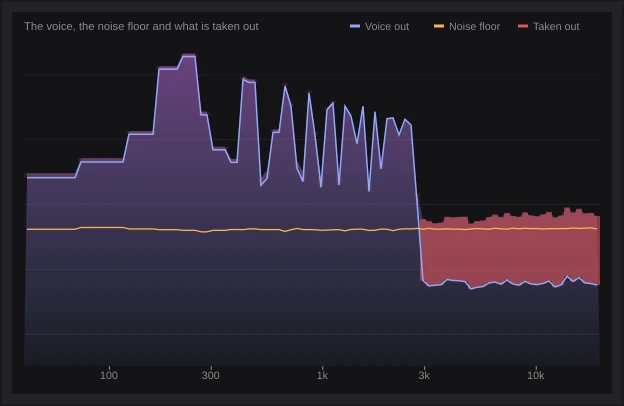
- Voice, noise floor and what is taken out
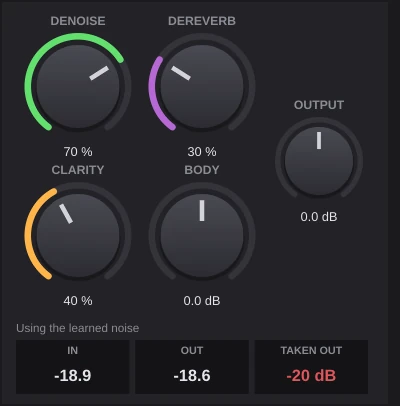
- IN, OUT and TAKEN OUT readouts
The controls
Denoise, dereverb, then shape.
Denoise takes the steady noise, Dereverb shortens the room, Clarity lifts the presence and Body keeps the warmth.
- Denoise
- Dereverb
- Clarity and body
Listn Clarity
Where it shines
- Home vocals
- Podcasts
- Voice overs
- Live recordings
- Phone memos
- Interviews
What you need
Windows
- Operating system
- Windows 10 or 11, 64 bit
- Processor
- Intel or AMD, 64 bit
- Memory
- 8 GB, 16 GB for big projects
- Audio
- ASIO or Windows audio
- Plugins
- The Listn plugins, plus your VST3
macOS
- Operating system
- A recent macOS
- Processor
- Apple silicon or Intel
- Memory
- 8 GB, 16 GB for big projects
- Audio
- Core Audio
- Plugins
- The Listn plugins, plus your VST3 and AU
Comes with Listn Studio
Put it onyour track.
Download Listn Studio, open the mixer and it is in the insert list. Every module and every setting, nothing extra to unlock.
- 1
Download
Get Listn Studio for Windows or Mac and sign in.
- 2
Open the mixer
Press + in an insert slot and pick it under Listn effects.
- 3
Make it yours
Save your settings as a preset and learn its knobs on your controller.
Listn Studio
Full license, every plugin
- Every Listn plugin, the ones coming too
- Windows and Mac on your own computers
- Your VST3 and AU plugins beside them
- MIDI learn on every knob
- Updates to this version
Vocal
Also in the bundle
Listn Pitch Pitch and timing editor Listn Vocal Producer Vocal chain Listn Tune Pitch correctionQuestions
Before you ask.
How do I learn the noise?
Play a part where nobody is singing, only the room, and press Learn noise. It stops by itself after a few seconds.
Does it add delay?
About 21 ms, which Listn Studio makes up for on its own.
Do I pay for the plugins?
No. Every Listn plugin comes with Listn Studio, and the ones still coming arrive as free updates to this version.
Do they work in other DAWs?
The Listn plugins run inside Listn Studio. Your own VST3 and AU plugins run beside them.
Can I control them from a MIDI controller?
Yes. Right click any knob and choose Learn, then move a control on your keyboard, pads or mixer.
How many computers?
Your license works on your own computers, Windows and Mac.
Where do I get help?
Write to us from the Contact page, or use Help, Report a bug or an idea in Listn Studio.